


Concrete Pumping
From boom pumping to telebelts, we help concrete placement teams deliver best-in-class service with every job.
/TEST%20icons/noun-concrete-pump-5976240.svg)
/Industry%20Icons/noun-5917380.svg)
/Industry%20Icons/noun-truck-4140346.png?width=60&name=noun-truck-4140346.png)


/TEST%20icons/noun-crane-truck-6830557.svg)
/TEST%20icons/noun-drilling-5103943.svg)


/Industry%20Icons/noun-road-fence-3990160.png?width=60&name=noun-road-fence-3990160.png)

/No%20Background/noun-maintenance-7409171-F1612C.png?width=60&name=noun-maintenance-7409171-F1612C.png)


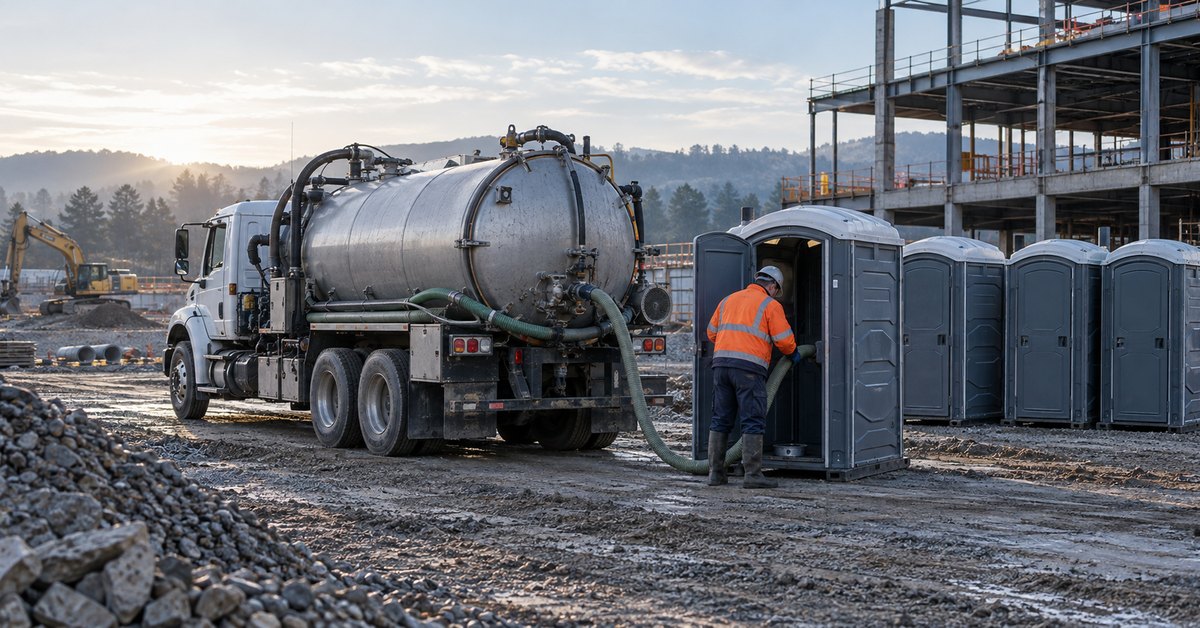
Portable sanitation operations
Updated October 21, 2026
TLDR
The portable sanitation software that handles billing and dispatch well is the kind where the route board and the invoice share one job record. Recurring service bills on its cycle, a one-off delivery bills from the completed stop with anything the driver added, and a failed stop carries a reason and a photo. CRO is built that way.
It's 5:40 on a Thursday evening and the yard has gone quiet. The dispatcher, who also does the books at a 14-truck portable restroom company, still has three stops from today's route to bill: a construction account on weekly service, a festival delivery where the driver added a handwash station, and a unit nobody could reach because the gate was locked. The route lives in one system, the invoices in another, and a spreadsheet sits in between that takes a full minute to open. If you've ever retyped a driver's text into an invoice at six o'clock, you know exactly how this evening goes.
It doesn't have to go that way, and the fix isn't working faster. The fair test of a combined platform is this messy route, not the clean demo: one recurring stop, one one-off with an add-on and one failed stop should all bill correctly with nobody retyping anything. Here is how each of those three stops should move from the route board to an invoice.
Yes, as long as dispatch and billing read from the same job record rather than passing copies back and forth. The trouble with two systems is not that either one is bad. It's that every stop has to be described twice: once so a driver can do it, and again so the office can charge for it.
That second description is where Thursday evening goes wrong. The weekly account was set up in billing months ago, so nobody is sure it matches the route. The festival add-on exists only as a text from the driver. And the locked gate is a voicemail. Three stops, three different places to look, and one tired person trying to stitch them into invoices before morning.
This is why we built CRO as one system for the whole job. The customer record, the route board, the driver app, invoicing and the QuickBooks sync all live in the same platform, so a portable company isn't buying a dispatch tool here and a billing tool there and hoping the two stay in step. Stop by stop, here is what that changes.
A recurring stop should bill itself on its cycle, without anyone keying it in. The construction account has four units on site for a crew of about 60, which tracks with OSHA's construction sanitation table (Table D-1 in the current federal regulations): once a site has 20 or more workers, it calls for at least one toilet seat and one urinal per 40 workers. The ANSI/PSAI Z4.3 standard also covers the number and placement of units for workers at job sites.
In CRO, standing accounts run on static routes that dispatch automatically, and recurring service billing invoices those accounts each cycle. For jobs or customers that need it, we can pre-bill before dispatch, so a general contractor who pays up front gets the invoice before the truck rolls. The Thursday service on this account needed nothing from the dispatcher at all.
The catch is what happens when the crew grows and the contractor asks for a fifth unit. That is a change to the standing service, not a one-time charge, and it deserves its own record. We cover that in how to manage recurring portable toilet service when units move or counts change.
A one-off delivery should bill from the completed stop, including whatever the driver added on site. The festival organizer ordered 12 units, one of them accessible. Under the 2010 ADA Standards, when single-user portable units are clustered, the accessible-unit requirement is capped at 5 percent of each cluster, and accessible units carry the International Symbol of Accessibility.
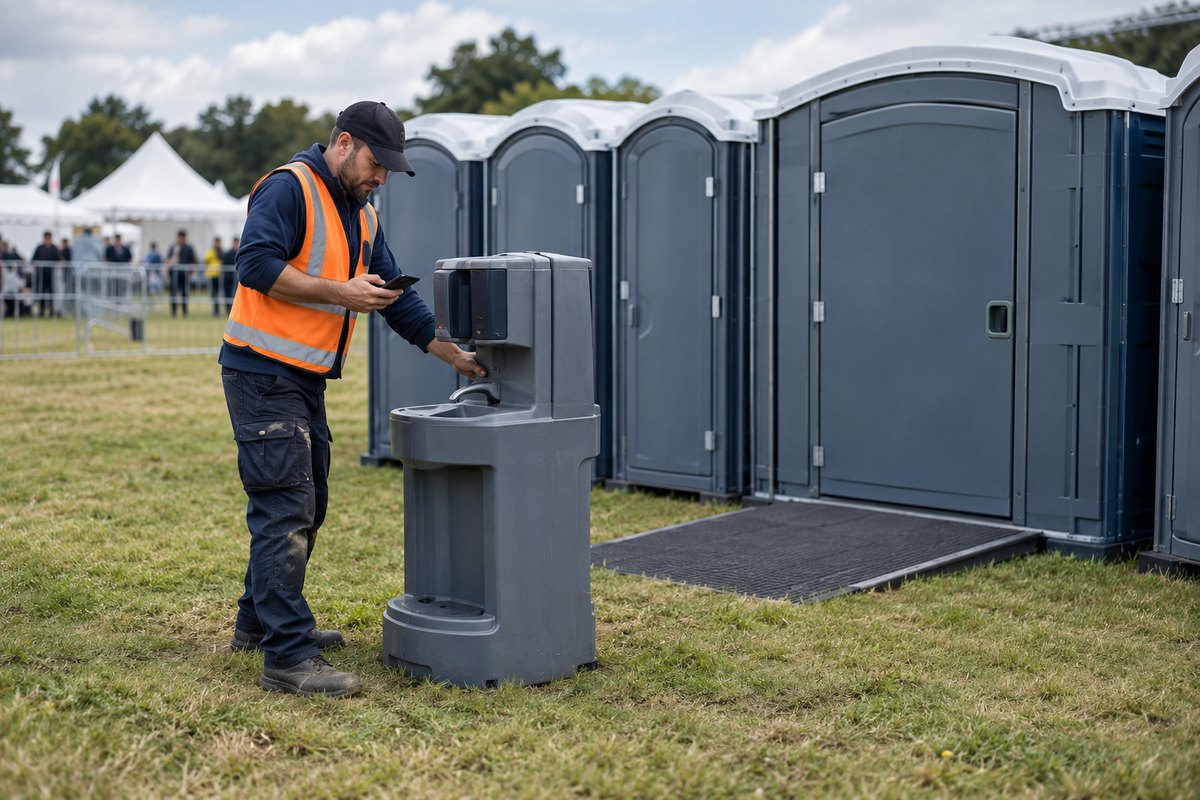
On arrival, the organizer's site manager asked for a handwash station by the food tents. That's a common request, and a sensible one: the CDC names washing with soap and water as the best way to get rid of germs in most situations, including after using the toilet. The ANSI/PSAI Z4.4 standard for portable units used by the general public covers handwashing stations too.
With CRO, the driver adds the handwash station as a billable item right at the stop, takes photos of the placement and captures the site manager's signature on the phone. A signature captured that way can't be denied legal effect solely because it is electronic under the federal E-SIGN Act. When the driver closes the job, the invoice generates automatically with the add-on already on it. The office still reviews the charge before it goes out. What disappears is the text message somebody has to remember to turn into a line item.
That depends on the customer's agreement, and it should be a decision the office makes with evidence in hand, not a guess. The third stop was a single unit at a commercial site. The driver got there at 2:15 and found the chain-link gate padlocked, with the unit visible on the other side.
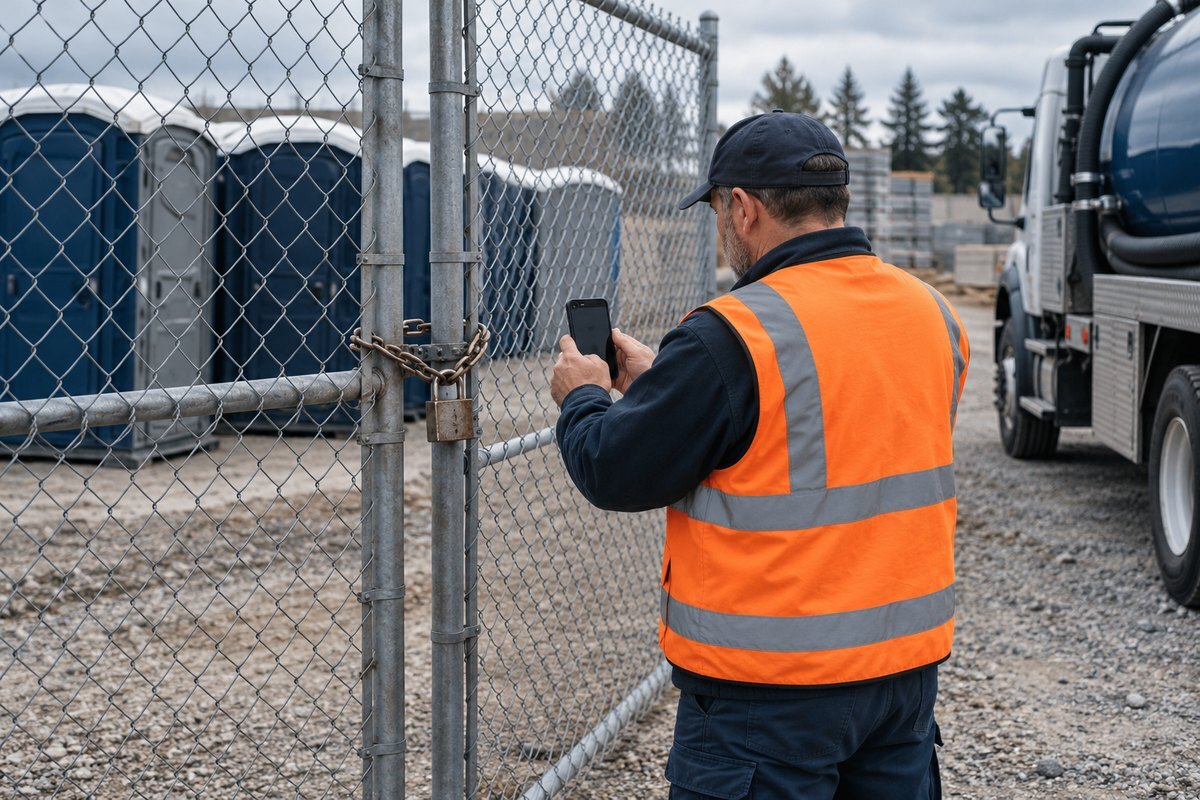
CRO doesn't let that stop close quietly. A failed job requires a reason and a photo before it can be marked failed, so the dispatcher sees the padlock, not just a red status. From there the office can reschedule the service, reassign it to another driver, or charge for the trip. Nothing charges automatically. If the agreement includes a trip fee for blocked access, the photo supports it. If this is a good customer who simply forgot, a quick call and a Friday reschedule may be the better business call. Either way, the record shows what happened.
The route board is the dispatch half of the same record, and it's where the locked gate gets fixed. CRO gives dispatchers a drag-and-drop board for deliveries, services, swaps and pickups, with static and dynamic route optimization. Recurring routes dispatch automatically, while one-off and emergency stops slot into the day without touching the underlying schedule.
On Thursday evening, the dispatcher drags the failed stop onto Friday's route. Dispatchers can re-optimize a route, adjust it by hand where local knowledge beats the map, and save the adjusted route so the same edits don't have to be repeated every day. Open jobs can also sit in an unassigned queue for a driver to pick up. The driver sees the change in the app straight away, and when Friday's stop is completed, it bills the same way as everything else.
If you want the broader picture of running routes across several waste service lines, our guide to running dispatch, driver tracking and billing from one waste operations platform covers that ground.
A short end-of-day review catches nearly everything, because the job record already holds the evidence. Here is how the three stops line up:
| Stop | What the driver captures | How it bills | What the office decides |
|---|---|---|---|
| Weekly construction service, four units | Proof of service on the scheduled visit | Recurring service billing each cycle, or pre-billed before dispatch where the customer requires it | Whether a requested unit change is a new standing service |
| Festival delivery, 12 units plus a handwash station | Photos, the site manager's signature and the added billable item | Invoice generated automatically when the job is completed, add-on included | Approving the added charge before it goes out |
| Locked gate, one unit | A required reason and photo for the failed job | No automatic charge | Reschedule, reassign or charge the trip under the customer's agreement |
We suggest working through the day's invoices in this order before anything is sent:
Those invoices are also your records. The IRS lists invoices among the supporting documents a business should keep to show the amounts and sources of its gross receipts.
More than it feels like at 6 p.m. Take a working example with labeled assumptions. Say a 14-truck company has about 40 stops a week that need something typed across from a driver's text, a paper ticket or a voicemail: add-ons, one-off deliveries and failed stops. Say each takes three minutes to find, check and key in. That's two hours a week. At the median dispatcher wage of $24.20 an hour (U.S. Bureau of Labor Statistics, May 2025), it comes to about $48 a week, or roughly $2,420 over a 50-week year. Swap in your own stop count and wage to size it for your yard.
The bigger cost is the mistakes. In a peer-reviewed study of data entry quality, single-key entry produced 0.370 errors per 1,000 fields against 0.046 for double-key entry, about eight times as many. The study measured research forms, not invoices, so the point that transfers is the method: anything typed once by hand will sometimes be wrong. A missed handwash station is lost revenue, and a wrong charge is a customer call.
Slow invoices also hurt cash. In the Federal Reserve Banks' 2025 Report on Employer Firms, 51 percent of small employer firms named uneven cash flows as a financial challenge. Billing the day's work the same evening, instead of the following week, is one of the few cash levers fully inside your control.
Hoffman Sanitation Services saw it first-hand. The company runs trash, roll-off, portable toilets and septic services in CRO. Invoicing used to take "five or six of us about a week," Stewart Hoffman said. Now it takes him "about four hours total to go through and check them," and daily billing takes under 30 minutes. Hoffman's billing is reliable and repeatable now, and more than 700 waste and site service companies trust CRO to run their day.
If you rent a few dozen units to a handful of event customers and run no standing routes, a calendar and your accounting software may be all you need for now. A combined platform earns its keep once recurring routes, one-offs and failed stops share the same trucks every day.
It's also worth being clear about what CRO doesn't do. Drivers don't take payment at the stop; customers pay after the invoice, against their balance or through the customer portal. And CRO doesn't decide charges for you: the office still approves added items and chooses what to do with a failed stop. If you're comparing options across the market, our ranking of the best portable sanitation software lays out the alternatives.
Back in the yard, Friday morning looks different. The weekly invoice went out on its cycle without anyone touching it. The festival invoice carried the handwash station and the site manager's signature. The locked-gate unit was serviced at 9:10 on Friday's route, and the office decided to waive the trip charge for a customer who apologized. Three stops, three invoices, and nobody retyped a thing. See how this works for portable restroom operators.
Want to run a messy route of your own through CRO and watch each stop reach an invoice?
Look for software where the route board and the invoice share one job record. CRO works that way: dispatchers build routes on a drag-and-drop board, drivers capture proof of service and billable items in the app, and completed jobs generate invoices automatically, with QuickBooks Online and QuickBooks Desktop sync.
Each stop bills by its own rule. Recurring service bills automatically each cycle, or is pre-billed before dispatch where the customer requires it. A one-off delivery bills from the completed stop, including anything the driver added on site, and the office reviews the charge before it goes out.
Yes. In CRO, drivers can add fees, overages and additional services right at the stop, and those charges flow to the invoice generated when the job is completed. The office still reviews added items before invoices are sent.
It depends on the customer's agreement. CRO requires a reason and a photo before a job can be marked failed, then the office decides whether to reschedule, reassign or charge for the trip. Nothing is charged automatically.
No. CRO does not take payment at the stop. Customers pay after the invoice, against their full outstanding balance or online through the customer portal.
