


Concrete Pumping
From boom pumping to telebelts, we help concrete placement teams deliver best-in-class service with every job.
/TEST%20icons/noun-concrete-pump-5976240.svg)
/Industry%20Icons/noun-5917380.svg)
/Industry%20Icons/noun-truck-4140346.png?width=60&name=noun-truck-4140346.png)


/TEST%20icons/noun-crane-truck-6830557.svg)
/TEST%20icons/noun-drilling-5103943.svg)


/Industry%20Icons/noun-road-fence-3990160.png?width=60&name=noun-road-fence-3990160.png)

/No%20Background/noun-maintenance-7409171-F1612C.png?width=60&name=noun-maintenance-7409171-F1612C.png)


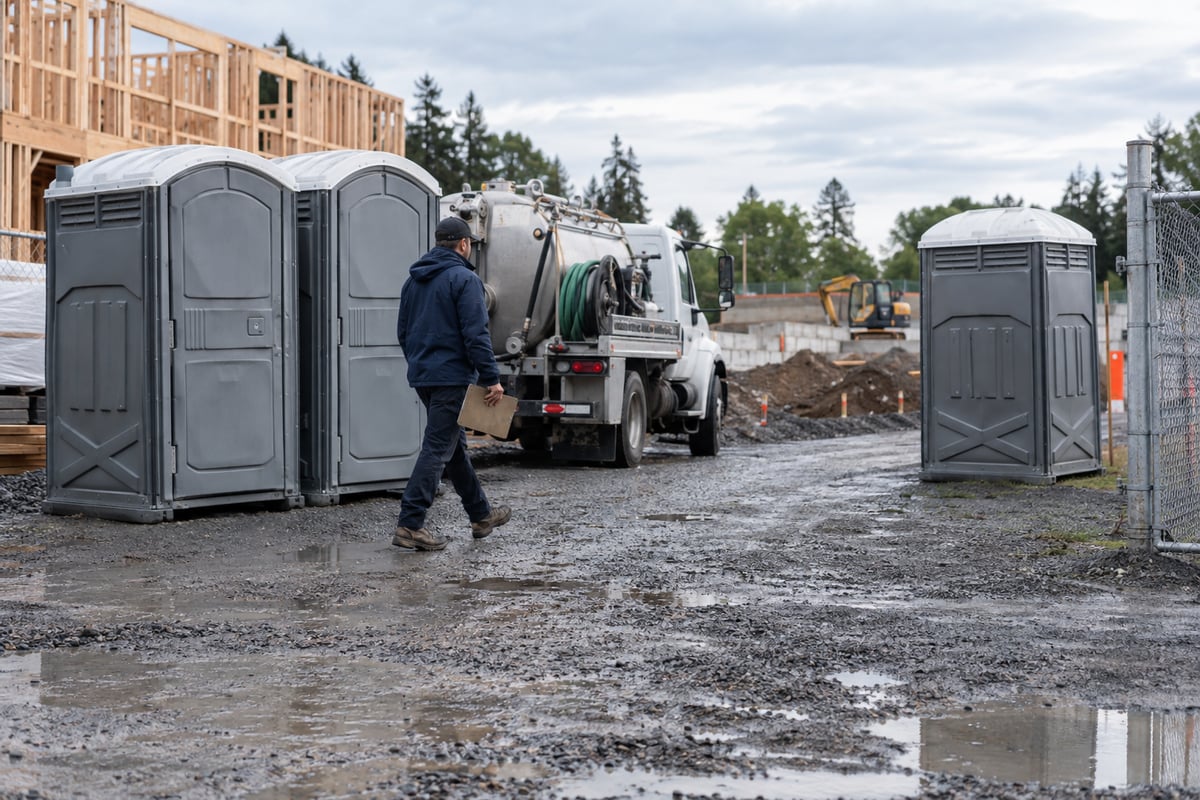
Short answer: Manage a recurring portable sanitation account by giving each placed unit its own identity, location and service cadence. When a unit moves, is added, is removed or needs an extra visit, record the change against that unit and its effective date. Update the future route only where the service promise changed, keep today's exception visible, and reconcile the invoice against completed work and agreed billing terms.
A monthly recurring charge looks simple until the physical service changes in the middle of a period. An event site adds two units for a weekend. A construction customer moves one unit to a second gate. A unit is exchanged after damage. The driver is asked for an extra pump-out that was not on the standing route. If the account has only a single total unit count, the office may know what to bill but not what the crew should service. If the route has only stops, the crew may know where to go but not which unit was moved or replaced.
This is a portable-unit change-control guide. The broader recurring waste accounts guide covers account setup, route cadence, billing and collections across service types. For a portable account already in service, the practical problem is keeping placed units, future visits and invoices aligned when the physical deployment changes.
Start with a parent customer account for the commercial relationship, then record each service site and each physical unit placed there. That structure lets the office change one unit without rewriting the customer's entire agreement. Give the unit a stable identifier, status, placement point and service history. The job records what happened to it on a particular visit; the invoice records what the customer owes under the agreement.
| Record | A mid-cycle change must preserve |
|---|---|
| Account and agreement | Customer, billing contact, rate and any rule for additions, removals or extra service. |
| Site | Service address, access point, on-site contact and placement instructions. |
| Unit | Physical identifier, current location, status and prior placements. |
| Service cadence | Next scheduled visit for that placed unit, including temporary or seasonal changes. |
| Visit and charge | Work actually completed, proof, exception, approved extra and invoice state. |
CRO's current portable-restroom page describes static recurring routes alongside one-off work, individual unit placement, driver field evidence and recurring billing. Those are published product capabilities, not proof that every customer's commercial change rule is already configured. RapidWorks: portable restroom operations
When the customer asks for a change, log one request with the account, site, affected unit IDs, requested date, requested work and the person authorized to agree to any charge. Then make the operational and billing decisions separately:
This is an operating protocol, not an automatic promise made by any software. A system should let the team record the facts and apply its own approved commercial rules.
Suppose a contractor has four units at Site A, serviced twice weekly. On Wednesday, one unit moves to Site B for the remaining three weeks of the month; the customer also requests one additional service before the move. These dates and quantities are illustrative.

Dispatch first records the approved request and assigns the extra visit and move. The driver identifies the physical unit, records the completed service, captures any required photo or signature, and confirms the new placement. The office then updates that unit's future service site and route, leaving the other three Site A units untouched. Billing checks whether the extra visit or changed site affects the contract price. The invoice shows the original recurring service and any separately approved change, with a trace back to the field event.
If the driver cannot reach Site B, do not mark the unit moved. Record the failed attempt, notify the appropriate customer contact, assign the retry, and keep the unit's actual location and future service plan honest. This avoids billing for a placement the field team never completed.
A recurring route is the standing plan, not a claim that every stop happened as expected. Keep three views:
The plan changes when the customer's enduring service promise changes. A one-off extra service should not quietly multiply into every future week. An inaccessible unit should remain an exception until dispatch resolves it. CRO's portable-restroom product page says its static routes can run alongside one-offs and its driver app captures photos, signatures, billable items and unit locations. Use those records to support the daily distinction between plan and result. RapidWorks: portable restroom operations
Before finalizing an invoice, compare the agreed base service to the actual deployment and visit history:
| Question | Evidence to check |
|---|---|
| Which units were placed at each site during the period? | Unit IDs, placement/move/pickup events and effective dates. |
| Which visits were included in the standing price? | Agreement, cadence and completed service record. |
| Which extras were approved? | Customer authorization, field result and rate rule. |
| Which visits failed or were disputed? | Reason, photo or note, customer notice and retry status. |
| Was a change billed once? | Invoice lines, credits, prior period and accounting handoff. |
Do not make the software invent a contract. Some operators bill in advance, some in arrears, and some by completed service. The agreement determines whether a mid-period unit addition is prorated by calendar days, remaining service visits or another rule. The system's job is to retain the facts and support a reviewable calculation.
CRO publishes recurring billing, driver-added billable items and invoices built from completed work. Its portable-restroom page says unit tracking, route work and billing remain connected. Confirm the exact approval and accounting configuration for your business rather than assuming every extra field action should bill automatically. RapidWorks: portable restroom operations, RapidWorks: CRO product
The office should not wait until month-end to discover that a moved unit still sits on the old route. Once a week, compare open change requests with unit placements, upcoming visits, failed stops and unreviewed billable work. Assign an owner and due date to each unresolved mismatch. Close the item only when the physical location, future service and billing decision agree.
Next step: Trace one actual unit move from customer request through driver confirmation, next week's route and the current invoice. If those records disagree, fix the handoff before adding another recurring account. See CRO's portable sanitation workflow.
Yes. The physical unit keeps its identity while its placement and service site change. That lets staff trace prior visits and find the right unit at the new location.
Not by itself. Record the extra visit as today's work, then change the standing cadence only if the customer has agreed to a continuing service change.
Follow the agreement's effective date and billing method. Calendar-day proration, remaining-service proration and a fixed charge produce different answers; the office should apply the agreed rule and retain the calculation.
Record a failed attempt with the affected unit and site, notify the appropriate contact, and assign a retry or commercial decision. Do not mark the move or service complete when it did not happen.
Yes, but each site needs its own access instructions, unit placements and service history. The billing account may be shared while field work remains site-specific.
Check placed units, included visits, approved extras, failed services, moves and removals. Each unusual charge or credit should trace to an effective-dated request and a field result.
