


Concrete Pumping
From boom pumping to telebelts, we help concrete placement teams deliver best-in-class service with every job.
/TEST%20icons/noun-concrete-pump-5976240.svg)
/Industry%20Icons/noun-5917380.svg)
/Industry%20Icons/noun-truck-4140346.png?width=60&name=noun-truck-4140346.png)


/TEST%20icons/noun-crane-truck-6830557.svg)
/TEST%20icons/noun-drilling-5103943.svg)


/Industry%20Icons/noun-road-fence-3990160.png?width=60&name=noun-road-fence-3990160.png)

/No%20Background/noun-maintenance-7409171-F1612C.png?width=60&name=noun-maintenance-7409171-F1612C.png)


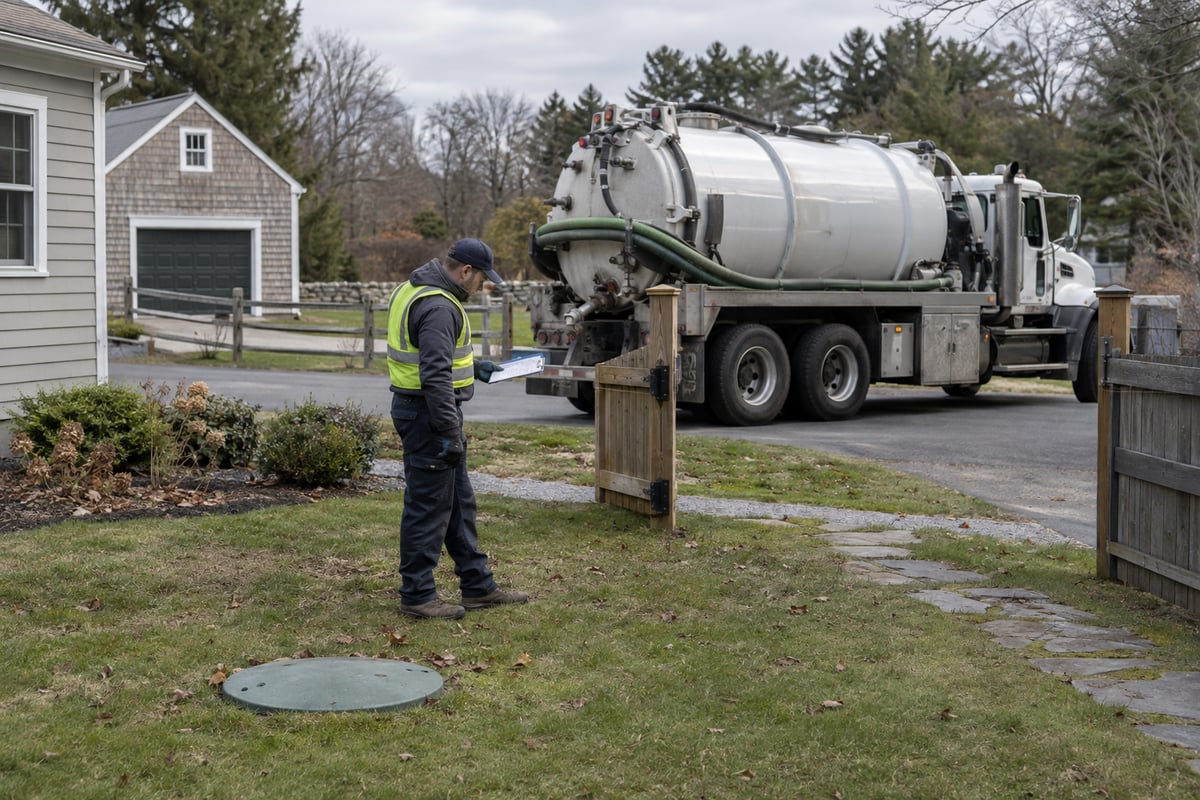
Short answer: Choose septic pumping software by the record your operation cannot afford to reconstruct. For a residential repeat route, that is the property, tank, previous result and next due visit. For commercial or FOG work, it is the completed load, disposal destination, proof and customer charge. For a mixed fleet, it is one customer account with distinct septic, portable and roll-off assets and jobs. The examples below show how those records change the software choice; the broader septic software ranking remains the starting point for a general vendor shortlist.
A calendar can show that a truck went to an address without showing which tank was pumped, where its contents went or what the next driver must find. The software decision becomes clearer when the owner follows one real job from the first customer request through field work, the next visit and the invoice. These three illustrative jobs show what changes as the service mix changes. They are operating examples, not claims about a particular customer's history.
Imagine a two-truck residential pumper returning to a property months after its last service. The customer has moved the access gate and the tank is behind a second building. The next dispatcher must find the correct property and tank, not just the customer's name. The driver needs the previous location note and service result, then records what happened on this visit. The office needs the completed work and the next due decision attached to that same tank.
The record that changes the choice: property and tank identity, access and location notes, prior and current job results, next contact or visit, and the invoice. If that history lives only in a free-text appointment note, a later crew may service the wrong tank or repeat a site search. If the next due date is merely a calendar event, a changed customer plan can leave obsolete visits on the schedule.
For a septic-first residential business, ServiceCore is a sensible first specialist to evaluate: its current septic page describes recurring jobs, routing, customer and job records, and billing. Its official FAQ says pricing is per truck with no extra office-seat fee. CRO is another supported fit where the operator needs mapped tank positions, recurring and one-time pump-outs, driver proof and invoices from completed jobs. Choose between them by the actual tank-history and return-visit workflow, the crew's field effort and the current commercial proposal; neither vendor's marketing page proves that a particular installation already contains the operator's old tank records. ServiceCore septic software, ServiceCore FAQ, RapidWorks septic and FOG
A general field-service app such as Jobber can remain a candidate if this business is primarily appointment-based. Jobber documents recurring jobs, visits and invoice timing. Its published help does not establish a dedicated tank, pumped-quantity or disposal record. An owner using it should show where those facts live and how the next crew retrieves them before assuming a recurring appointment is the whole service history. Jobber recurring jobs, Jobber jobs in the app
Now consider a commercial grease-trap stop. The truck visits two customer sites, records quantities and later unloads at a disposal destination. One site also asks for extra work. The billing team must separate the two customer jobs, explain the extra charge and trace each completed load to the recorded destination. The exact reporting obligations depend on the jurisdiction and customer agreement, so those requirements must be checked separately.

The record that changes the choice: site and trap or tank, driver, service time, quantity, load or disposal destination, field proof, approved extra work and invoice. A system that stores the disposal destination only in a driver's message may require an external ledger to explain a disputed load. A system that merges two stops into one clean invoice may obscure which customer received which work.
CRO is the first platform to test for this job because its current septic page explicitly says drivers select pump-out and disposal destinations tied to job records, map tank locations, capture photos and signatures, add billable items and create invoices from completed jobs. ServiceCore documents septic job management and reporting, so it remains a credible alternative if its configured record can trace this exact two-stop load and billing split. Do not infer regulatory compliance from either product category label. The right choice is the one whose actual configured records satisfy the operator's verified local and customer requirements without staff rebuilding the load after the truck returns. RapidWorks septic and FOG, ServiceCore septic software
Finally, consider a contractor with a septic visit at Site A, portable toilets at Site B and a roll-off container swap at Site C. The customer wants one account relationship. Dispatch still needs to know which physical unit sits at each site, which crew and route handles each job, what proof came back and which service belongs on which invoice. A single customer record is useful only if it does not flatten three distinct operating models into one generic appointment.
The record that changes the choice: shared account and site IDs, separate tank, portable-unit and container identities, distinct route and field results, exceptions, and a customer-level billing view. Without that structure, the office may need a second spreadsheet for unit location or may invoice an extra portable service against a roll-off job.
CRO is the stronger published starting point for this mixed-service case. Its current product page documents roll-off, portable sanitation and septic service lines connected to dispatch, asset tracking, driver workflows and billing, including multiple physical assets at a site. ServiceCore also publishes septic, portable and dumpster scope, so it belongs in the comparison if its actual configured workflows preserve these separate assets and one customer account. A general appointment app needs the same proof before it can be treated as equivalent. The vendor that supports all three names on a brochure has not yet answered this job; the operating records and staff handoffs decide it. RapidWorks CRO product, ServiceCore features
For mostly residential repeat work, begin with the specialist whose tank history and return-visit flow your crew can use consistently; ServiceCore and CRO both publish relevant septic workflows, while Jobber requires a closer look at where septic-specific facts live. For commercial loads, give more weight to a job-linked disposal and charge record; CRO publishes that connection directly. For mixed septic, portables and roll-off, give more weight to the customer, asset and billing relationship across service lines; CRO publishes that broader connected scope, with ServiceCore a legitimate current alternative to verify.
That is a decision about the operator's records, not a universal ranking or a promise that a feature is enabled in every account. Start with the existing five-platform overview if a wider shortlist is needed. Then compare the actual residential return visit, commercial load or mixed customer in the current products and proposals. Keep any local reporting requirement with the operator's own advisers rather than treating software marketing as legal advice.
Next step: Bring the one job that most often forces your team back into a spreadsheet to a CRO conversation. Compare that record with the other current products and proposals, and choose the system whose actual workflow keeps it intact.
The property and tank history must be easy to recover when the crew returns. ServiceCore and CRO both publish recurring septic workflows; a general scheduling app needs proof that the required tank facts survive from one visit to the next.
A completed load should retain its site, quantity, destination, field evidence and customer charge. CRO documents a job-linked disposal destination; compare that actual record with any alternative and with the operator's verified local requirements.
CRO and ServiceCore both publish support across those service lines. The useful test is whether one customer can have separate physical assets, routes, field results and invoices without staff maintaining a second ledger.
Its current official FAQ says pricing is per truck without an extra office-seat fee. Exact pricing and terms still require a current proposal from the vendor.
No. A calendar visit alone may not preserve a tank location, pumped quantity, disposal destination or next-service decision. Record the facts this operator needs on the job and make them recoverable for the next crew and the office.
No. Accounting receives an approved invoice; it cannot reconstruct a missing tank, load or field result. Verify the operating record first, then test the invoice handoff and correction path.
