It’s 5:15 a.m. The crane board shows the 130-ton going to the refinery shutdown. The crew spreadsheet, in a different tab, has the only operator with a refinery site induction running the 60-ton at the hospital job. Two different people booked those jobs yesterday afternoon. Each schedule looked fine on its own.
The conflict surfaces when the operator calls from the yard asking which crane he’s on. Now the dispatcher is working the phone, looking for someone else with the right induction. The steel crew at the refinery will be standing around at 7 a.m. either way.
Nothing broke on either schedule. It broke between them.
A Crane Job Is a Bundle of Resources, Not a Single Booking
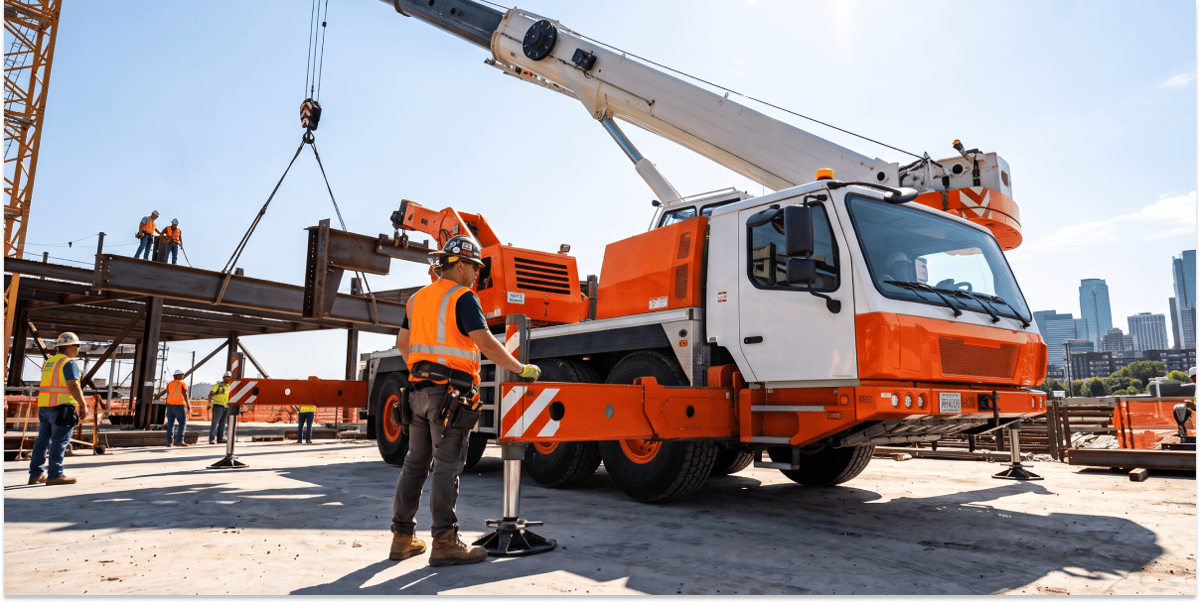
A crane job is never just a crane. A single lift can need the crane, a qualified operator, an oiler or rigger, a rigging truck, counterweight trucks, sometimes an assist crane, and the permits or escorts to get it all there. Every one of those pieces has to land at the same site in the same window, or the lift doesn’t happen.
When each resource lives on its own board, the crane schedule, crew schedule, and support equipment list can each be correct while the job is wrong. Every board becomes its own version of the truth. The only place they come together is in the dispatcher’s head.
Four Ways Crane Scheduling Breaks When Cranes and Crews Live on Separate Boards
1. Operators get double-booked because no one sees both schedules at once
When cranes and people are scheduled in different places, nothing stops the same operator from being assigned to two jobs. The person booking the crane sees an open crane. The person managing crews sees a busy operator only if they happen to check. The conflict usually shows up the morning of the job, when the fix costs the most.
2. Cranes arrive without the support equipment the job was quoted for
The project manager quoted the job with a rigging truck and two counterweight loads. If the quote doesn’t carry those line items into dispatch, the dispatcher rebuilds the job from memory. One missed truck means the crane sits on site, on the clock, waiting on something that should have left the yard with it.
3. A change at 6 a.m. updates one schedule and not the others
Crane work changes constantly. Weather rolls in, the site isn’t ready, or the customer pushes the pick to the afternoon. When the dispatcher moves the crane, the crew schedule, rigging truck, and escort all need to move too. With separate boards, each change is three or four updates done by hand, and the one that gets missed sends a truck to the wrong site.
4. The qualified crew gets found too late
Certifications, site inductions, and customer-specific requirements narrow down who can run a given job. If that information lives in a binder or an HR spreadsheet, nobody checks it while scheduling. It comes up at the gate, when the operator gets turned away.
What Disconnected Crane Scheduling Costs the Dispatch Desk
When the schedules don’t talk to each other, the dispatcher becomes the connection between them. Most of the day goes to phone calls, texts, and double-checking whether the board matches what’s actually happening. Tomorrow’s schedule gets rebuilt at 6 p.m., because that’s the only time it’s quiet enough to catch the conflicts.
The costs don’t stay at the dispatch desk. A missed support truck becomes a delayed lift and an unhappy customer. A crane moved without its crew becomes idle hours, the same utilization leak covered in [How to Improve Crane Utilization: 5 Ways to Get More Billable Hours From the Fleet You Already Own]. Errors in the schedule flow into job tickets and invoices, so you end up billing for a resource that never went out, or missing one that did.
Then there’s key-person risk. When the full picture lives in one dispatcher’s head, every sick day or vacation becomes an operational problem.
Why Most Crane Scheduling Tools Still Treat Cranes and Crews Separately
Most crane operations didn’t choose separate schedules. They grew into them. The crane board came first, then a crew spreadsheet, then a list for support equipment, each added when the last one couldn’t keep up.
Off-the-shelf software rarely fixes the split. Generic field service tools are built to send one technician to one job. Equipment rental systems track assets but not the people who run them. Workforce scheduling tools handle people but not cranes. Each covers one piece of a crane job, so operators end up stitching them together again by hand.
Good Crane Scheduling Puts the Whole Job on One Schedule
In a connected operation, the job is the unit of scheduling, not the crane. When a dispatcher books a lift, the crane, operator, rigger, and support equipment are allocated together, and a conflict shows up at booking instead of at the gate. Only qualified operators show up as options, because certifications and inductions sit next to the schedule.
When the customer pushes the pick, the dispatcher moves the job once, and every resource on it moves together. The crew gets the change on their phones and confirms they’ve seen it, so nobody has to call around to make sure. At the end of the day, the job ticket reflects what actually went out, so billing doesn’t start with detective work.
The day still changes by the hour. The difference is that each change takes one update instead of four.
How Visual Dispatch Schedules Cranes, Crews, and Support Resources Together
Visual Dispatch, by RapidWorks, is built around the way crane jobs actually work: as a bundle of resources that has to move together from quote to invoice.
- Dispatchable quotes carry every resource and line item from the project manager’s quote straight into dispatch, so support equipment that was sold doesn’t get left in the yard.
- One dispatch screen shows cranes, support resources, and personnel together, and new jobs are scheduled in two clicks. Double-bookings show up when the job is booked, not when the operator calls in.
- Visual schedule views let dispatchers switch between equipment, crew, and quoted line-item schedules, so the same job can be checked from every angle without opening another file.
- The Skills & Compliance Tracker keeps crew and equipment inductions and compliance next to the schedule, so dispatchers find qualified operators while they’re allocating the job.
- One-click dispatch sends job details to the field and confirms they’ve been seen, so a 6 a.m. change reaches the crew without a round of phone calls.
- Electronic job tickets come back from the site automatically reconciled, so invoices match what actually went out.
At Davis Crane, VP of Business Services Keith McKee says Visual Dispatch “gives our allocators the flexibility to modify the schedule as things change.” Smithbridge Group’s CEO describes a similar result from electronic ticketing: his team can see which crane is on which job at any given time, in real time.
Schedule the Whole Lift, Not Just the Crane
Every crane job your team runs depends on several resources showing up together. When they’re scheduled separately, the dispatcher pays for it in phone calls and late nights, and the business pays in idle cranes, delayed lifts, and invoice errors.
See how Visual Dispatch puts cranes, crews, and support resources on one schedule. Schedule a demo today!
FAQs
What should crane scheduling software do?
Crane scheduling software should schedule cranes, crews, and support equipment together as one job. It should flag conflicts when the job is booked and push schedule changes to the field. It should also carry job details through to tickets and invoicing, so the schedule, the work, and the bill all match.
Can general field service software schedule crane jobs?
Most general field service software is built to assign one technician to one job. Before using it for crane work, check whether it can assign multiple resource types to a single job, filter operators by certification, and move every resource on a job when the schedule changes.
How do you schedule a crane job with multiple resources?
Start from the job, not the crane, and allocate every resource together:
- Confirm the full resource list from the quote: the crane, operator, oiler or rigger, rigging truck, counterweight trucks, assist crane, and any permits or escorts.
- Check that each resource is free for the whole job window, including travel and setup.
- Filter operators by the certifications and site inductions the job requires.
- Book every resource to the job at once, so a conflict on any one of them shows up right away.
- Send the job details to the crew, and confirm they’ve seen them before the job date.
Why do crane operators get double-booked?
Crane operators usually get double-booked because cranes and crews are scheduled in separate places. The person booking the crane sees it’s open but can’t see that the operator is already assigned elsewhere. The conflict often isn’t caught until the morning of the job. Scheduling the crane and the crew on the same job, on the same screen, catches it at booking instead.
How do you handle last-minute changes to a crane schedule?
Handle last-minute changes by moving the whole job at once, not each resource one by one. When weather, site readiness, or the customer pushes a lift, the crane, crew, and support equipment should all move together. The crew should get the update on their phones and confirm they’ve received it. With separate schedules, every change becomes several manual updates, and the one that gets missed sends a truck or an operator to the wrong place.
How does crane scheduling affect invoicing?
Crane scheduling affects invoicing because the schedule is where the bill starts. If the schedule doesn’t match what actually went to the job, the job ticket won’t either. The invoice then either charges for a resource that never went out or misses one that did. Connecting scheduling, electronic job tickets, and invoicing in one system keeps all three in line.
Can general field service software schedule crane jobs?
Most general field service software is built to assign one technician to one job, which doesn’t match how crane work runs. Before using it for crane scheduling, check three things. Can it assign multiple resource types, such as a crane, crew, and support trucks, to a single job? Can it filter operators by certification? When the schedule changes, does it move every resource on the job together?