


Concrete Pumping
From boom pumping to telebelts, we help concrete placement teams deliver best-in-class service with every job.
/TEST%20icons/noun-concrete-pump-5976240.svg)
/Industry%20Icons/noun-5917380.svg)
/Industry%20Icons/noun-truck-4140346.png?width=60&name=noun-truck-4140346.png)


/TEST%20icons/noun-crane-truck-6830557.svg)
/TEST%20icons/noun-drilling-5103943.svg)


/Industry%20Icons/noun-road-fence-3990160.png?width=60&name=noun-road-fence-3990160.png)

/No%20Background/noun-maintenance-7409171-F1612C.png?width=60&name=noun-maintenance-7409171-F1612C.png)


Quick answer
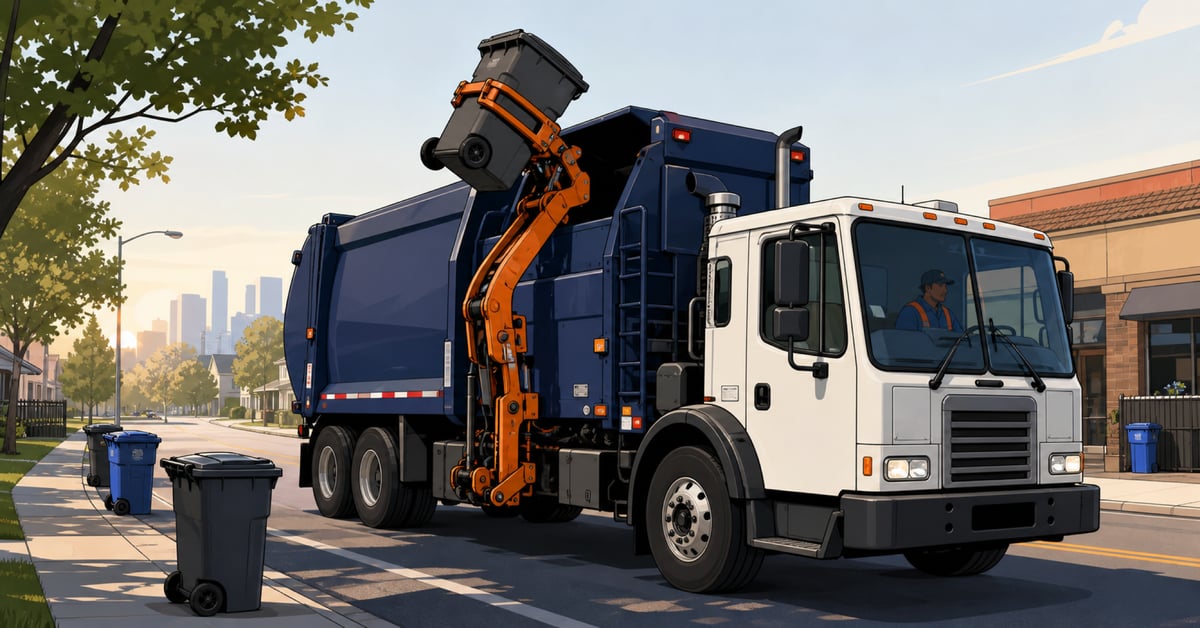
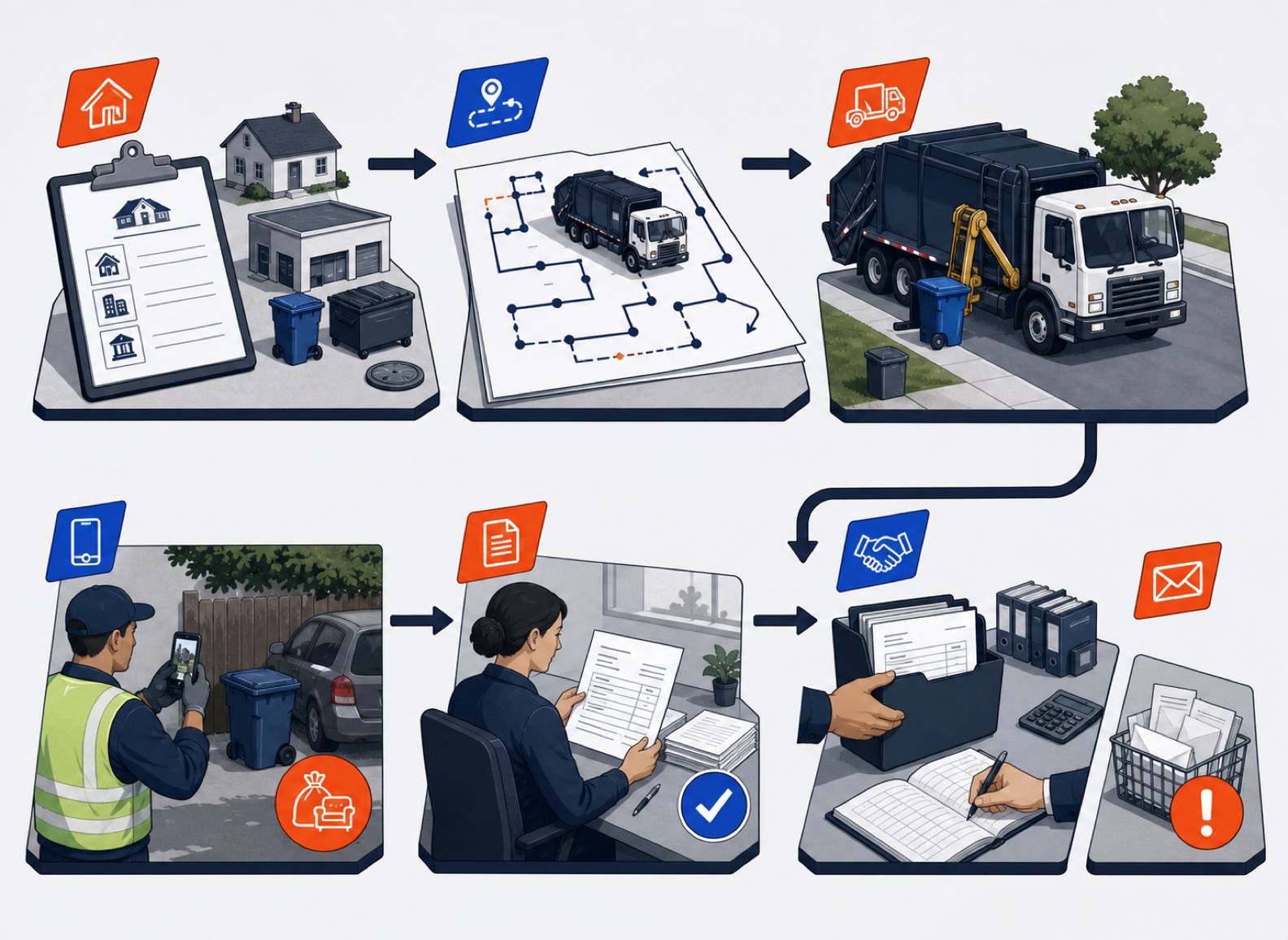
Managing a recurring waste collection account means keeping one service promise consistent from the customer record through the route, the driver, the invoice, and collections. Start with a precise account setup. Turn that setup into standing route work. Record changes and exceptions on the job. Review the resulting charges before the final invoice moves to accounting. Then audit the small number of exceptions every week.
A recurring account can look simple from the outside. A truck arrives every Monday, a container gets serviced, and an invoice goes out at the end of the month. Inside the operation, that promise depends on dozens of details staying aligned: which address gets serviced, which container is on site, which week is skipped, what happens on a holiday, whether an overflow charge was approved, and who follows up when the balance is overdue.
That is why recurring work should be managed as an operating loop, not as a copy of last week's route. Residential subscriptions, commercial service agreements, and municipal collection contracts have different terms, but they all need a dependable chain from the account record to collected cash.
This guide shows how to build that chain. The process works whether the account covers one residential cart, several commercial containers, or thousands of municipal stops.
The account record is the operating agreement translated into instructions. If the record only contains a customer name, address, and price, dispatch and billing will fill the gaps differently. Those differences become missed work, customer calls, and invoice corrections.
Build the record around five groups of information.
Record the billing customer, service address, site contact, gate code, access window, placement notes, and any municipal zone or service-area identifier.
Define the service type, day, frequency, start date, seasonal dates, container or cart count, and the condition that ends or pauses service.
Assign the correct truck type, route family, disposal destination, service sequence constraints, and driver instructions.
Set the base recurring charge, included service, allowed extras, proration method, taxes handled in accounting, and the approval path for unusual charges.
Keep the contract document and the operating record distinct. The contract governs the commercial relationship. The operating record tells the dispatcher and driver what to do. When terms change, update both through a controlled process and record the effective date.
For multi-site commercial and municipal work, define the hierarchy as well. A parent account may receive one invoice while each site keeps its own service notes, containers, access rules, and service history. Without that separation, a change at one location can spill into every location on the account.
Cadence is more than weekly or monthly. It is the exact pattern that generates work. A residential account may run every Thursday. A restaurant may need three services each week with a different time window on Friday. A municipal contract may use alternating recycling weeks, seasonal yard-waste routes, and a separate holiday calendar.
For each recurring service, capture:
Do not hide a recurring rule in a note field when the system can represent it as structured work. Notes are useful for context, such as where a driver should enter the site. They are a poor substitute for the date and frequency logic that creates the stop.
CRO supports recurring jobs and static routes for standing accounts. That gives dispatch a stable base while still allowing dynamic work to enter the day separately. The practical advantage is that a permanent Monday service does not need to be rebuilt each week, and a same-day extra pickup does not need to be disguised as a permanent route change.
A route should be the operational expression of the service records beneath it. Start by grouping work that belongs together: geography, truck type, disposal destination, service window, and material stream. Then order the stops so the plan is workable for the driver and the truck.
Keep three route layers visible:
Those layers should not be treated as the same thing. If dispatch changes Tuesday's route because a truck is down, that should not silently rewrite every future Tuesday. If a customer permanently moves service from Tuesday to Thursday, update the account cadence and future route template instead of relying on a weekly manual move.
In CRO, dispatchers can work with static recurring routes, dynamic jobs, and day-of changes. The point is not to remove dispatcher judgment. It is to protect the standing plan while making today's exceptions visible.
Holiday weeks expose weak recurring-account controls. One day's work may move forward, later routes may slide by a day, municipal rules may differ from commercial agreements, and disposal facilities may have separate hours.
Build a holiday plan before the week starts:
Day-of changes need the same discipline on a smaller scale. A breakdown, blocked street, full disposal facility, or urgent added stop can change the route. Record who made the change, why it was made, which stops moved, and whether the customer was notified. The route should tell the next person what happened without a chain of phone calls.
A failed stop is not just a driver status. It can change the next route, the customer conversation, and the invoice. Treat it as an exception that needs evidence.
The driver should select a reason, add a note, and capture a photo when the condition can be shown. Common reasons include blocked access, a locked gate, contamination, an overloaded container, unsafe conditions, or a container that was not presented for service. CRO supports failed-job documentation with photos, which gives dispatch a record to review instead of relying on memory.
Then make an explicit decision:
Never let a failed stop disappear from the route with no outcome. One recycling operator raised this exact concern during a CRO evaluation: missed work needed to stay visible instead of vanishing. The operational rule is simple. Every failed stop remains open as an exception until someone resolves it.
Recurring charges cover the normal promise. Field conditions create the exceptions. A driver may find overflow, contamination, an extra item, an additional lift, or work beyond the included service.
Capture the charge where the event occurs. In CRO, drivers can add billable items from the field and attach supporting photos or notes. This is especially useful for solid-waste accounts where a mattress, batteries, contamination, or overflow may need to appear on the same invoice as the recurring monthly service.
Field capture should not mean unchecked billing. Define which items a driver can add, which require office approval, what evidence is required, and which contract or rate supports the amount. Billing staff should review the exception against the service record before the invoice is finalized.
One solid-waste operator described the cost of getting this wrong: extras such as mattress pickup were not flowing cleanly into billing, so office staff had to read driver notes and add line items manually. A controlled field-to-review process prevents that work from becoming a weekly scavenger hunt.
Proration appears whenever service starts, stops, pauses, or expands partway through a billing period. The safest approach is to decide the rule before the first exception.
Write down:
CRO's proration support was demonstrated for units added during a billing cycle, with the added service joining the same billing period. The exact commercial rule still belongs to the operator and its contract.
Worked example
Assume a customer receives one weekly front-load service billed on a monthly cycle. On the 15th, the customer adds a second weekly service. The agreement says added recurring service is prorated by scheduled service occurrences, not by calendar days.
The office adds the second cadence with an effective date of the 15th. The route receives the new recurring stop for the remaining service dates. The invoice shows the original monthly recurring charge, the prorated amount for the added services, and any separately approved field extras. This is an illustrative control example, not a claim about a customer's results or a required pricing model.
The invoice review should answer one question: does this bill reflect the agreed recurring service and what actually happened in the field?
Review the base recurring charge first. Then check exceptions: added services, failed stops, approved extras, proration, credits, and suspended work. For disputed or unusual items, open the underlying photo, note, or service record before finalizing the invoice.
CRO supports recurring billing, pre-billing, field-added billable items, and invoice creation tied to completed work. Use pre-billing only where the agreement calls for advance invoicing. Do not let an advance invoice hide the need to reconcile service exceptions later.
Hoffman Sanitation Services provides an attributable example of the review handoff. The company said billing previously took five or six people about a week. With CRO, the final review took about four hours before invoices were sent to QuickBooks. That is Hoffman's reported experience. It should not be treated as a guaranteed result, and CRO should not be presented as the sole cause of the company's broader growth.
"It takes me about four hours total to go through and check them. And then we send them to QuickBooks and it's done." Hoffman Sanitation Services
Finalize the invoice in CRO after the billing review. The final invoice then moves one way from CRO into QuickBooks Online or QuickBooks Desktop. This removes the need to rebuild the same invoice in the accounting system.
Keep the system responsibilities clear:
Changes made later in QuickBooks do not rewrite the operating record in CRO. If an invoice needs correction, follow the approved billing and accounting process so both systems retain a clear audit trail.
Recurring revenue is only useful when the operation follows through on overdue balances. Build collections into the account rhythm instead of waiting for month-end.
CRO supports a collections dashboard with aging buckets, Collections Baskets, batch statements, account notes, and status updates. Use those tools to organize the work, while keeping payment collection in QuickBooks under the current accounting boundary.
A practical collections routine looks like this:
The route team should not have to guess whether an account is on hold. If credit status changes the next service, make that decision visible before dispatch.
A weekly audit catches small exceptions before they become route failures, billing cleanup, or customer churn. It does not need to be a long meeting. Review the exception queues, assign owners, and close the loop.
| Audit area | Question | Evidence | Owner | Required outcome |
|---|---|---|---|---|
| Account setup | Did any service terms or contacts change? | Approved change and effective date | Account owner | Record and future cadence updated |
| Route exceptions | Are any recurring stops still open, failed, or repeatedly moved? | Route status, reason, photo, and note | Dispatch | Rescheduled, closed, or escalated |
| Added charges | Are field extras supported and approved? | Job record, photo, rate, and approver | Billing | Approved, corrected, or removed |
| Proration | Did service start, stop, pause, or expand mid-cycle? | Effective date and written proration rule | Billing | Calculation reviewed |
| Invoice handoff | Are any final invoices waiting to move into QuickBooks? | Finalized invoice queue and handoff status | Billing and accounting | Sent or exception assigned |
| Collections | Which overdue accounts need action this week? | Aging bucket, notes, and next date | Collections owner | Statement, call, dispute, or escalation logged |
Watch for repeated exceptions. One failed stop may be a blocked driveway. Four failed stops at the same account may mean the service plan, access instructions, container placement, or customer expectation needs to change.
Next step
Bring a representative residential, commercial, or municipal account, including its cadence, common exceptions, and invoice. Book a CRO demo to see how the full account loop fits your operation.
A subscription waste collection account is a standing service relationship that creates recurring work and billing on an agreed cadence. The term can describe residential, commercial, or municipal service, but the underlying contract and operating rules may differ significantly.
Include the billing customer, service location, contacts, access instructions, service type, frequency, start date, container or cart details, route requirements, holiday rule, base charge, allowed extras, proration rule, and escalation path.
Record the failure reason, note, and photo when the condition can be shown. Then reschedule, roll the work forward, apply an allowed charge, waive it with a reason, or escalate the account. The stop should remain visible until someone records the outcome.
Yes. CRO lets drivers add billable items from the field, including supporting photos or notes. The operator should define which items are allowed, which need approval, and how billing staff review them before finalizing the invoice.
Billing staff review and finalize the invoice in CRO. The final invoice then moves one way into QuickBooks Online or QuickBooks Desktop. QuickBooks remains responsible for payment collection, revenue recognition, tax, reporting, and accounting controls.
Check account changes, open or failed stops, driver-added charges, proration, invoices waiting for QuickBooks handoff, and overdue balances. Every exception should have a named owner and a recorded next action.
