


Concrete Pumping
From boom pumping to telebelts, we help concrete placement teams deliver best-in-class service with every job.
/TEST%20icons/noun-concrete-pump-5976240.svg)
/Industry%20Icons/noun-5917380.svg)
/Industry%20Icons/noun-truck-4140346.png?width=60&name=noun-truck-4140346.png)


/TEST%20icons/noun-crane-truck-6830557.svg)
/TEST%20icons/noun-drilling-5103943.svg)


/Industry%20Icons/noun-road-fence-3990160.png?width=60&name=noun-road-fence-3990160.png)

/No%20Background/noun-maintenance-7409171-F1612C.png?width=60&name=noun-maintenance-7409171-F1612C.png)


Quick answer
Scrap metal ERP software manages the yard-side records for scale transactions, grades, purchasing, material inventory, outbound shipments, and related financial work. CRO supports a different part of a scrap recycling service business. It handles dispatch and tracks field assets such as containers. Live truck-location visibility requires a configured GPS or telematics integration. CRO can dispatch both inbound and outbound loads, but it does not process scale transactions or manage scrap material inventory. For scrap yards, CRO inventory means asset inventory only.
The key implementation decision is to give each record one clear owner. A scale ticket, a dispatched load, a container movement, and a financial entry are connected, but they are not the same transaction.
ERP stands for enterprise resource planning. In scrap and recycling, the useful definition is broader than accounting and narrower than "every piece of software in the company." It is the operating architecture that connects core workflows and gives each important record an authoritative home.
For a recycler, that architecture commonly includes five layers:
| Layer | Primary record | Starts with | Ends with |
|---|---|---|---|
| Yard operations | Material transaction | Seller or supplier and inbound load | Purchase ticket, inventory update, or outbound shipment |
| Hauling operations | Service job | Customer request, scheduled work, or recurring service | Completed job with container and service evidence |
| Accounting | Financial transaction | Approved purchase, sale, invoice, payment, or adjustment | Posted entry, reconciliation, and financial reporting |
| Equipment and maintenance | Asset record | Truck, trailer, container, scale, or processing equipment | Availability, inspection, maintenance, and lifecycle history |
| Reporting and controls | Exception or management view | Data from operating and financial systems | Reviewed exception, decision, and accountable follow-up |
A small operator may run several of these layers in one product. A larger or more specialized recycler may use separate systems connected by integrations. The right test is not whether the company has one login. It is whether every critical record has one clear owner and moves through a controlled workflow.
The yard-side system begins when material arrives. Its job is to turn a physical load into a traceable purchase, inventory movement, or shipment.
The first record is the party delivering or selling material. Depending on the transaction and jurisdiction, the yard may need identity, vehicle, payment, photograph, signature, hold-period, or reporting information. Requirements vary by state and locality, so configuration should follow the yard's legal review rather than a generic national template.
The system should prevent a clerk from bypassing required fields simply to move the line faster. It should also retain the original evidence and the person who captured or changed it.
A scale transaction usually needs more than gross, tare, and net weight. A controlled ticket can include:
NIST Handbook 44 is the current federal model standard for weighing and measuring devices, while states decide how those requirements are adopted and enforced. Software does not make a scale legal for trade. It should preserve the data and controls needed to support the yard's approved weighing process.
The yard must connect the measured load to the commercial decision. That means recording the commodity or grade, applied price, deductions, purchase total, and any approval required for an override.
A price table can speed up routine purchasing, but it should not remove accountability. The system should show which price was active, who changed it, when the change took effect, and why a ticket departed from the normal rule.
Once purchased, material becomes inventory or moves into a processing stream. The yard-side record should support the level of traceability the business actually manages, such as commodity, grade, location, package, heat, bundle, or weight pool.
Outbound sales then reduce that inventory and connect shipment details to the customer order, bill of lading, scale records, and invoice. The goal is not a false promise of perfect physical precision. It is a repeatable reconciliation between what the yard bought, processed, held, sold, and shipped.
Hauling begins with work outside the scale house. The dispatcher needs to assign the right truck and driver, send them to the right location, and know how the job is progressing. That is a different operating job from weighing, grading, purchasing, or tracking scrap material inside the yard.
A hauling record should separate the customer from the service location. Each site may have access instructions, service windows, contacts, material restrictions, and container placement notes.
Container deliveries, swaps, pickups, returns, and relocations should remain distinct job types so dispatch and drivers interpret the work the same way.
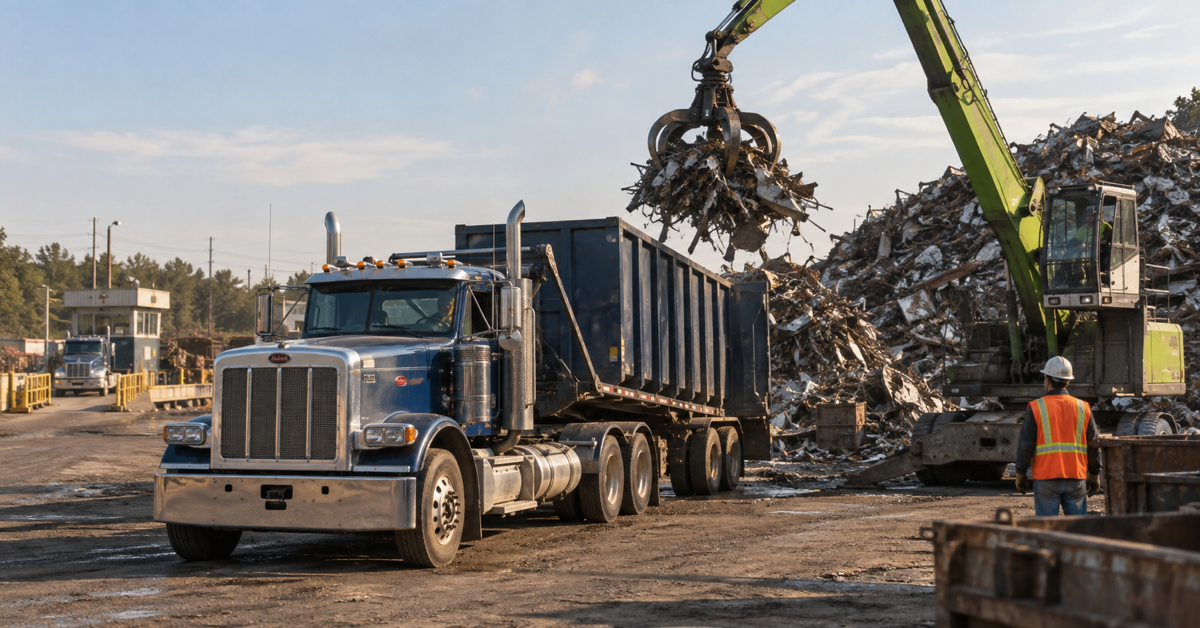
CRO can be used to dispatch both inbound and outbound loads. An inbound load may move from a supplier or customer site to the scrap yard. An outbound load may move from the yard to a mill, processor, customer, transfer point, or another destination.
Dispatch assigns the truck and driver and sets the destination. With a configured GPS or telematics integration, dispatch can also follow the truck as the load moves. The yard-side system still owns the scale ticket, grade, price, purchasing record, and material inventory movement.
With a configured GPS or telematics integration, truck tracking can show dispatch where the driver is and whether the assigned load is moving toward the correct destination. That helps the office answer customer questions, respond to delays, and adjust the rest of the day when conditions change.
The driver app keeps the assigned work and job status in one place. The office can see which jobs are waiting, in progress, completed, or affected by an exception without rebuilding the day from calls and paper notes.
CRO tracks operational assets used to perform service, such as roll-off containers and other field equipment. The asset record can show:
This is asset inventory. It is not scrap material inventory. CRO does not track piles, grades, weights, or quantities of material in the yard.
CRO supports the dispatch and field operations around a scrap recycling service business. It can dispatch container work and inbound or outbound loads, assign trucks and drivers, follow job and route progress, and keep a history of field assets. With a configured GPS or telematics integration, dispatch can also see live truck location.
CRO does not process scale transactions. It does not own gross, tare, and net weights, material grades, commodity pricing, supplier payouts, or scrap material inventory. Those records remain in the scrap ERP, scale software, or another specialist yard system.
For scrap yards, CRO inventory means asset inventory only. The practical setup is often a yard system for the material transaction and CRO for the dispatched work, truck movement, and containers around that transaction.
Consider an inbound load collected from a customer site.
An outbound load follows the same boundary. CRO dispatches the truck from the yard to the mill, processor, customer, or other destination. With a configured GPS or telematics integration, dispatch can follow its live location. The scrap ERP remains responsible for the material inventory movement, scale records, and commercial transaction.
Each system should own the record it was designed to manage. The handoff should make the load traceable without making CRO responsible for scale or material inventory work.

Accounting integration is not complete when a file exports successfully. The design should answer who can create, approve, transfer, change, and reconcile each transaction.
Useful controls include:
The accounting platform should remain the authority for the chart of accounts, posting, tax treatment, period close, and financial statements. The yard and hauling systems should retain the operational detail that explains why each approved financial transaction exists.
Implementation is a business-process project with software inside it. Microsoft Dynamics 365 implementation guidance is product-specific, but its core disciplines apply broadly: data governance, test strategy, user acceptance, cutover planning, training, security, support, and migration readiness.
Document what actually happens, including workarounds. Follow representative transactions from request or arrival through approval, billing or settlement, accounting, and reconciliation.
Include exceptions such as a broken scale, rejected load, changed grade, price override, container at the wrong site, failed pickup, duplicate customer, offline driver, returned payment, and disputed ticket.
Create a data-ownership matrix before configuring integrations. Decide which system owns customers, sites, sellers, suppliers, commodities, grades, prices, trucks, containers, jobs, scale tickets, inventory, invoices, payments, and the general ledger.
Also decide which fields may be copied and which may be edited only in the source system.
Normalize customer and supplier names, addresses, tax settings, material codes, container IDs, truck IDs, chart-of-accounts mappings, and open balances. Merge duplicates deliberately. Do not migrate every old note simply because it exists.
Use data stewards from the yard, dispatch, accounting, and management teams. The people who understand the records should decide what is accurate, active, and required.
For each interface, define direction, timing, identifiers, required fields, validation, retry behavior, duplicate handling, and ownership of failures.
A successful transfer is only one path. The design also needs a visible queue for rejected records, changed records, partial failures, and corrections.
Migrate a representative copy of customers, suppliers, materials, assets, open jobs, open tickets, open receivables, and opening balances. Reconcile record counts and financial totals. Then let users run real scenarios against the converted data.
Repeat the process until the team can predict duration, validate results, and resolve failures within the cutover window.
A useful pilot is not a demo with perfect sample data. Choose one yard, scale lane, commodity family, customer group, dispatch team, or route set. Process work from the first operational event through accounting reconciliation.
Measure exceptions, not only speed. The pilot should reveal missing permissions, unclear ownership, duplicate records, weak training, and integrations that fail under normal changes.
The cutover plan should name the final data freeze, last legacy transactions, migration sequence, validation owners, go or no-go criteria, communication plan, support coverage, and fallback decision.
Do not shut down the old process until required balances, open work, asset locations, and critical integrations are reconciled.
For the first days and weeks, review source-to-accounting totals, unprocessed exceptions, missing container events, scale ticket sequences, overrides, inventory variances, and user access. Assign every exception to an owner and track it to closure.
A single-location yard with limited hauling may prioritize fast ticketing, compliant seller records, basic inventory, accounting handoff, and a simple dispatch board.
A multi-yard recycler needs consistent material definitions, controlled location-specific prices, intercompany or inter-branch processes, centralized customer and supplier governance, cross-yard inventory visibility, and consolidated reporting.
A hauling-heavy scrap operator needs stronger customer-site records, container event history, route planning, driver proof, telematics context, and job-to-invoice controls. It may still depend on a separate yard platform for scale and commodity accounting.
A regional or enterprise recycler may add formal master data management, integration monitoring, role-based security, data warehouse reporting, disaster recovery, and phased releases. More scale creates more reasons to separate system ownership, not fewer.
Next step
Bring one real inbound load, one container movement, and one accounting handoff to a system review. Schedule a demo with one of our scrap and recycling experts today!
Scrap metal ERP is the yard-side system used to manage scale transactions, material grades, pricing, purchasing, scrap material inventory, outbound shipments, and related commercial records.
CRO handles dispatch, tracks field assets, and can dispatch inbound and outbound loads. With a configured GPS or telematics integration, dispatch can follow each truck’s live location en route to its assigned destination.
No. CRO does not process scale transactions. A scrap ERP or specialist scale system should manage gross, tare, and net weights, scale tickets, grades, pricing, and related material records.
CRO does not manage scrap material or commodity inventory. For scrap yards, CRO tracks asset inventory such as containers and other field equipment used to perform service.
Yes. CRO can dispatch inbound loads to the yard and outbound loads to a mill, processor, customer, transfer point, or another destination. With a configured GPS or telematics integration, dispatch can follow the truck as the load moves.
Material inventory is the scrap itself, usually tracked by grade, weight, quantity, value, or processing stage. Asset inventory is the equipment used to perform service, such as containers placed at customer sites.
