


Concrete Pumping
From boom pumping to telebelts, we help concrete placement teams deliver best-in-class service with every job.
/TEST%20icons/noun-concrete-pump-5976240.svg)
/Industry%20Icons/noun-5917380.svg)
/Industry%20Icons/noun-truck-4140346.png?width=60&name=noun-truck-4140346.png)


/TEST%20icons/noun-crane-truck-6830557.svg)
/TEST%20icons/noun-drilling-5103943.svg)


/Industry%20Icons/noun-road-fence-3990160.png?width=60&name=noun-road-fence-3990160.png)

/No%20Background/noun-maintenance-7409171-F1612C.png?width=60&name=noun-maintenance-7409171-F1612C.png)



If you run a portable sanitation business, you've probably been in this situation: a portable gets dropped at a construction site. The job runs a little long. A driver reroutes. A customer quietly stops service. And then, somewhere in the middle of a busy week, someone in the office asks: where's Unit 47?
Nobody knows for certain. Someone thinks it's still on the Henderson account. The driver thought it got picked up last Tuesday. The customer hasn't called — which could mean anything.
So you make a few calls, dig through some notes, and eventually figure it out. Unit 47 has been sitting on a job site that wrapped up three weeks ago, making you exactly zero dollars.
If that scenario sounds familiar, you're not alone. It's one of the most common — and costly — operational problems in portable sanitation. And it rarely comes down to carelessness. It comes down to visibility.

A single portable unit can cost several hundred dollars to replace. But the financial hit from a lost or stranded asset goes well beyond replacement cost.
When you can't see where your units are, you're not just risking loss — you're dealing with:
For a growing operation — even one running 50 to 200 units — this kind of untracked activity adds up fast. Assets sit. Invoices get missed. The dispatcher fields phone calls instead of building routes. And the owner is stuck putting out fires instead of running the business.
The frustrating part? Most of these problems aren't caused by bad people or bad intentions. They're caused by a lack of shared, real-time information. When your dispatcher doesn't know exactly where Unit 47 is, and your driver doesn't have a way to log exact placement, and your office team is working from a route sheet that's already 48 hours old — things fall through the cracks.
Most portable sanitation operators have tried to patch this problem. They've added columns to their spreadsheets, created new driver check-in procedures, or asked their dispatcher to follow up more aggressively. It helps — until it doesn't.
The reason these fixes don't stick is that they rely on people manually bridging gaps between disconnected systems. When your dispatching lives in one place, your driver communication happens over text and phone, and your billing sits in a separate accounting system, there's no single source of truth. Everyone is working from a different version of reality.
Generic field service software doesn't solve this either. Most of those tools were built for residential trades — HVAC, plumbing, electrical — where a technician shows up, does the job, and leaves. They weren't designed for operations where assets get dropped and left on-site for days or weeks, routes change dynamically, and a single driver might service dozens of units in a single day. A general-purpose scheduling tool can handle appointments. It can't handle the operational complexity of route-based asset management.
Imagine starting your morning knowing exactly where every unit in your fleet is — not because you called three drivers, but because your system tells you automatically.
Your dispatcher builds the day's routes in a visual board, drags jobs into sequence, and sends assignments directly to the driver's app. When a driver arrives at a site, they log the drop with a photo and pin the exact location on a map. When they service a unit, they capture it in the app before they leave the site. When a job runs long or a customer cancels, the dispatcher sees it in real time and adjusts — without a single phone call.
Your billing team can see which jobs closed yesterday and generate invoices the same day. They can run a report showing every unit that's been sitting on a site for more than two weeks and proactively call customers to schedule pickups or swaps. Nothing waits on paperwork. Nothing slips through because a driver forgot to call in.
That's not a fantasy — that's what operations look like when the field and the office are running off the same data. And it doesn't require more staff. It requires the right system.
That's exactly what CRO Software, RapidWorks premiere waste management solution, was built to deliver. Unlike generic field service platforms adapted from residential trades, CRO is purpose-built for route-based operators — portable sanitation, roll-off, septic, and solid waste. It connects dispatch, driver workflow, asset tracking, and billing in one platform, so every part of your operation is working from the same live information.
Step 1: Build Routes You Can Trust Every Day
When routes exist only in a dispatcher's head — or in a spreadsheet that gets updated once a week — the operation becomes reactive. Drivers improvise. Assets get dropped without documentation. Dispatch scrambles to figure out what happened.
Reliable routes require a system that can handle both standing service schedules and last-minute changes without forcing a rebuild from scratch. CRO's drag-and-drop dispatch board lets your dispatcher build, adjust, and push routes in real time — and drivers see their updated assignments instantly in the app, no phone call required.
Step 2: Know Where Every Unit Is — Without Chasing It
Losing a portable rarely happens in one dramatic moment. It happens gradually — when visibility fades. A unit gets dropped, no exact location gets recorded, and eventually no one's sure if it's still working for you.
CRO's asset tracking gives dispatchers and operators a live picture of every deployed unit — where it is, how long it's been there, and whether it's active. You can run a report on your oldest deployed assets in seconds and proactively recover units before they become a problem. As one CRO customer put it: "Before CRO, we were losing cans and that's not going to fly. If an asset sits for months, that's money lost. Now I can run a report to see where my oldest cans are."
Drivers can also pin the exact placement of a unit on a map when they drop it — so when a customer calls two weeks later asking where their portable is, you know immediately.
Step 3: Capture the Truth in the Field — Automatically
Most operational problems don't start with bad intentions. They start with missing information. When a job gets documented late, passed verbally, or entered after the fact, gaps appear — and those gaps become disputes, missed invoices, and lost assets.
The CRO driver app captures everything at the moment work happens: photos, service notes, customer signatures, and any add-on charges the driver needs to log on-site. When the job closes in the app, that information flows directly to your billing team. No one has to track down a driver to find out what actually happened. The record is already there.
Step 4: Align Drivers, Dispatch, and the Office in One View
Operational confusion almost always comes back to the same root cause: different teams are working from different information. Drivers think a job was completed. Dispatch isn't sure. The office is waiting on paperwork that no one's submitted yet.
CRO puts everyone on the same page — literally. Dispatchers see live job status on a single board. Drivers see their current assignments without calling in. The billing team sees completed jobs the moment they close. When something changes in the field, everyone knows. When a job fails — a site that can't be accessed, a customer who isn't home — the driver is required to document the reason and upload a photo before marking it failed. The dispatcher sees it immediately and can reschedule without losing the paper trail.
Step 5: Run the Business — Not the Daily Fires
The goal isn't just preventing one lost portable. It's getting your time back. When your routes are reliable, your assets are tracked, and your field team is documenting everything in real time, you stop managing by exception. You stop fielding calls about where a unit is or why an invoice hasn't gone out.
That means your billing admin is sending invoices the same day jobs close — not chasing paperwork a week later. Your dispatcher is adjusting tomorrow's routes in 10 minutes, not rebuilding them from scratch. And you — the owner — have a clear picture of your operation without having to be in the middle of everything.
We put together a free, practical guide that walks through each of these five steps in detail — built specifically for portable sanitation and roll-off operators who want to get asset visibility and dispatch under control.
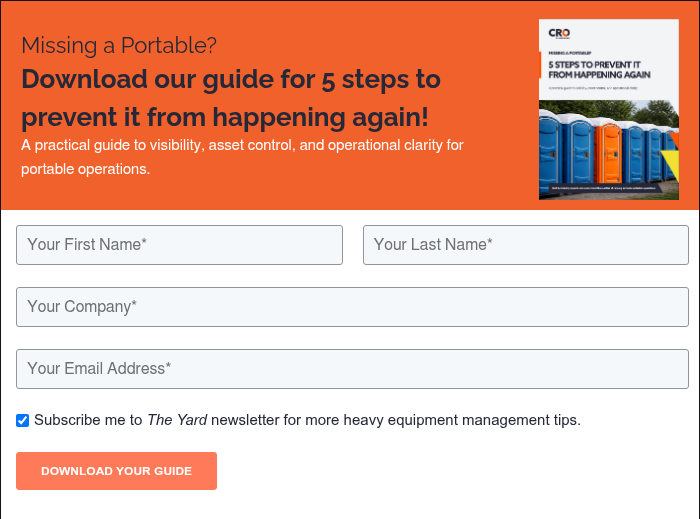
It breaks down exactly what operational control looks like when your routes, assets, drivers, and billing team are all working from the same information.